
Download BitZipper – Free, Secure File Compression Tool for Windows, Mac, Android & iOS
BitZipper is a lightweight, user-friendly file compression software designed to simplify archiving and extracting files across multiple platforms. With support for ZIP, RAR, 7Z, TAR, GZ, and other common formats, BitZipper offers a streamlined alternative to complex tools like WinRAR or WinZip. Ideal for everyday users, students, and professionals, this free trial software delivers reliable performance without bloating your system.
Whether you're compressing documents for email, backing up photos, or sharing large files, BitZipper ensures fast, secure file management. Available for Windows, Mac, Android, and iOS, it’s a versatile tool that supports cross-device compatibility. Its minimalistic interface makes it easy to use, even for beginners.
The latest version, 5.1, was updated in 2008, and the software has been downloaded over 263,000 times since 2007, with consistent usage in India, the United States, and the Philippines. Despite its age, BitZipper remains a trusted choice for those who value simplicity, speed, and secure file handling.
Key Features of BitZipper
BitZipper stands out in the crowded field of file compression tools thanks to its clean, efficient design and broad format support. One of its most notable features is its ability to handle multiple archive formats, including ZIP, RAR, 7Z, TAR, GZ, and more. This versatility means you don’t need to install several tools to manage different types of compressed files—BitZipper does it all in one lightweight package. The software is particularly useful for users who frequently receive or send files in various formats and want a single solution.
Another standout feature is its support for password-protected archives. This is essential for safeguarding sensitive documents, financial records, or personal photos. You can set strong passwords to prevent unauthorized access, ensuring your data remains secure during storage or transfer. The tool also allows for quick extraction with a simple right-click or drag-and-drop functionality, making file management seamless and efficient.
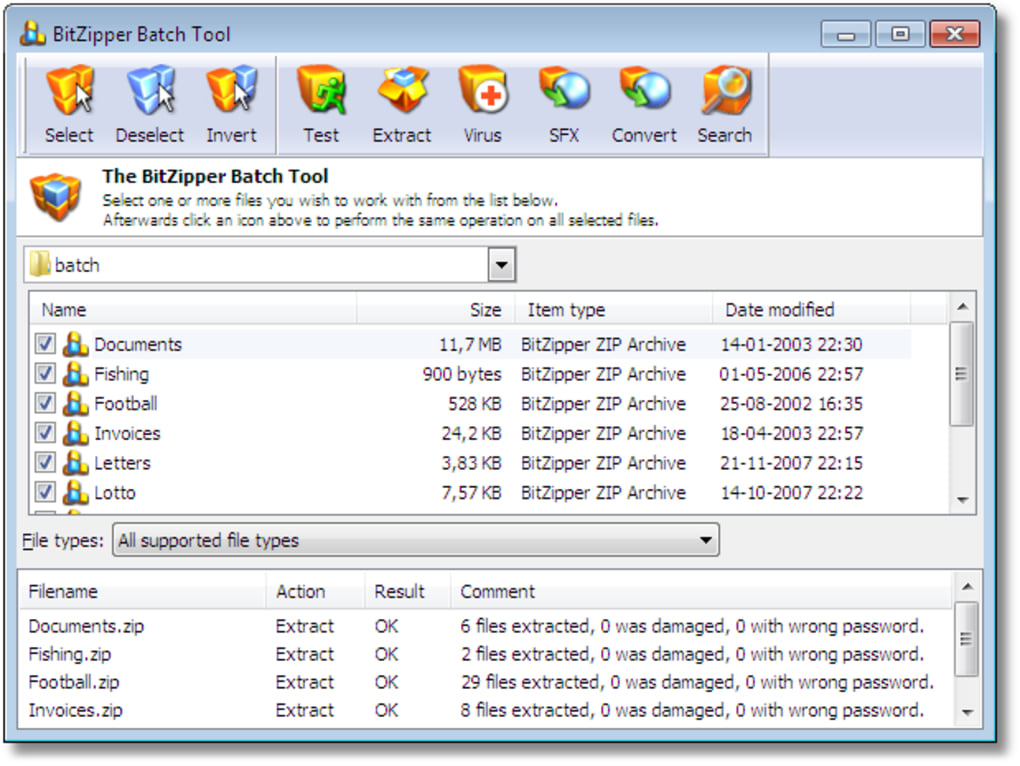
BitZipper is designed with performance in mind. It consumes minimal system resources, which means it runs smoothly even on older or low-end devices. Unlike some heavy-duty compression tools that slow down your computer, BitZipper operates in the background without noticeable impact. Its intuitive interface ensures that even first-time users can compress or extract files in seconds. Additionally, the software supports batch processing, allowing you to compress or extract multiple files at once—perfect for managing large folders or backups.
For those who prefer a no-frills experience, BitZipper delivers exactly that. It avoids cluttered menus and unnecessary features, focusing only on what matters: fast, reliable compression and decompression. Whether you're a student organizing project files, a remote worker sharing reports, or a casual user managing downloads, BitZipper provides a secure, hassle-free solution. With its long-standing reputation and consistent user base, it remains a dependable tool in the digital file management ecosystem.
Installation & Usage Guide for BitZipper
Getting started with BitZipper is simple and straightforward, whether you're using Windows, Mac, Android, or iOS. First, visit the official download page and select the version that matches your operating system. The software is available as a free trial, so you can test all features before deciding to purchase the full version. The installation process is quick—just run the downloaded file, follow the on-screen prompts, and you’ll be up and running in under a minute.
Once installed, BitZipper integrates seamlessly into your system’s context menu. Right-click any file or folder, and you’ll see options like “Add to Archive” or “Extract Here.” This integration makes file compression and extraction incredibly intuitive. To create a new ZIP or RAR file, simply select the files you want to compress, right-click, choose the archive format, set a password if needed, and confirm. The process completes almost instantly, even for large files.
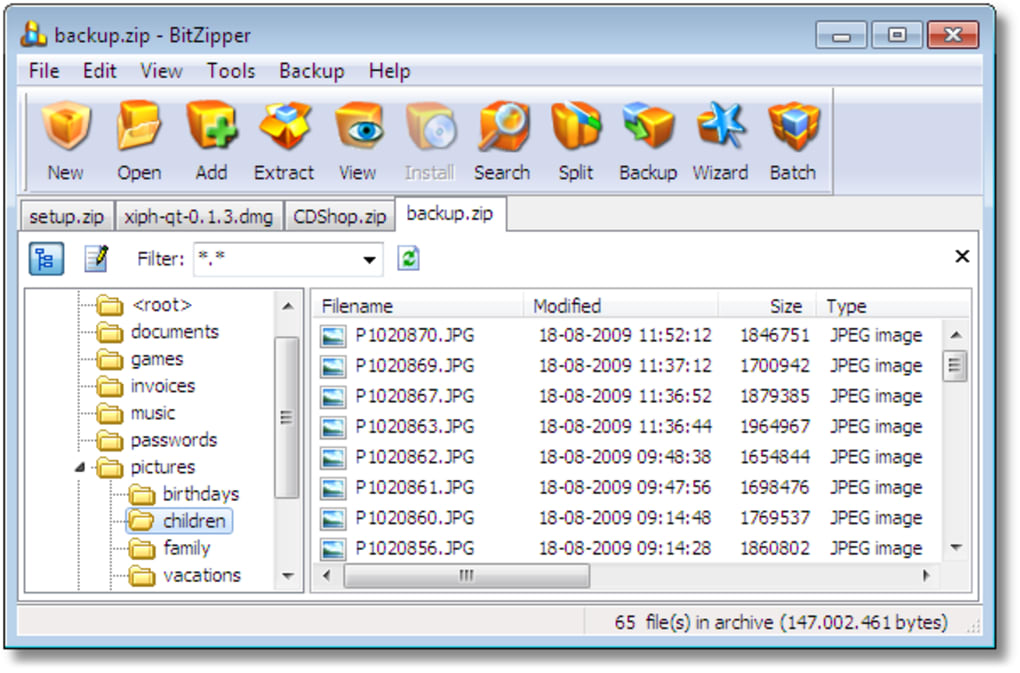
For extraction, just right-click a compressed file and select “Extract All” or “Extract Here.” You can choose the destination folder, and BitZipper handles the rest. The tool also supports drag-and-drop functionality—just drag files into the BitZipper window to compress them or drop an archive to extract it. This visual method is especially helpful for users who prefer a more interactive approach.
Advanced users can access additional settings through the Preferences menu, where you can adjust compression levels, choose default formats, and manage password policies. The software also includes a built-in file preview feature, allowing you to view the contents of an archive without fully extracting it. This is useful for verifying files before opening them, saving time and bandwidth.
Regular updates are recommended to ensure compatibility and security, although the latest official update was in 2008. For users on modern systems, it’s advisable to use BitZipper alongside current antivirus software to maintain a secure environment. Overall, the installation and usage process is beginner-friendly, efficient, and reliable across all supported platforms.
Compatibility & System Requirements
BitZipper is designed to run on a wide range of operating systems, making it accessible to users across different devices. It is primarily known for its support on Windows, including older versions such as Windows 95, 98, ME, XP, Vista, 7, 8, and 10. This backward compatibility is a major advantage for users still operating legacy systems or working in environments with restricted software updates.
For Mac users, BitZipper offers a dedicated version that runs smoothly on macOS systems from Snow Leopard to the latest releases. The Mac version maintains the same lightweight performance and intuitive interface, ensuring a consistent experience across platforms. This cross-platform availability makes BitZipper an excellent choice for teams or individuals who use multiple devices.
Mobile users aren’t left out either. BitZipper provides Android and iOS apps, allowing you to compress and extract files directly from your smartphone or tablet. These mobile versions are optimized for touch interfaces and support common formats like ZIP and RAR. Whether you're on the go or managing files from a remote location, the mobile app ensures you’re never without access to your compressed data.
Despite its age, BitZipper remains functional on modern hardware. It requires minimal system resources—typically less than 50 MB of RAM and a few hundred MB of disk space—making it suitable for low-end laptops, netbooks, or older desktops. The software does not require administrator rights to install, which is beneficial in corporate or shared environments.
For users concerned about security, BitZipper supports AES-256 encryption for password-protected archives, ensuring your data is protected from unauthorized access. While the software hasn’t received updates in over 15 years, its core functionality remains stable and secure when used responsibly. For maximum safety, always scan downloaded files with up-to-date antivirus software before opening them.
Pros & Cons of BitZipper
- Pros:
- Supports multiple archive formats (ZIP, RAR, 7Z, TAR, GZ, etc.)
- Lightweight and fast, low system resource usage
- Simple, intuitive interface ideal for beginners
- Free trial available with full feature access
- Password protection with AES-256 encryption
- Available for Windows, Mac, Android, and iOS
- Batch processing and drag-and-drop support
- Right-click integration for quick access
- Cons:
- No official updates since 2008 (potential compatibility issues on newer systems)
- Limited advanced features compared to WinRAR or 7-Zip
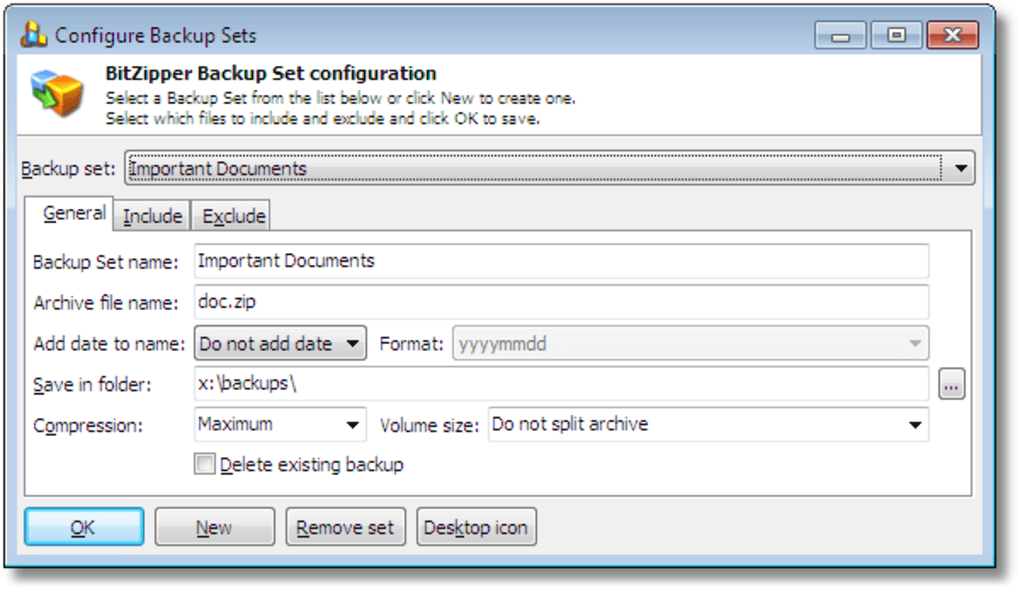
- No built-in cloud integration or auto-backup
- Mobile versions may lack some desktop-level functionality
- Support and documentation are minimal
Frequently Asked Questions (FAQ)
Is BitZipper free to download and use?
Yes, BitZipper is available as a free trial. You can download and use all features for a limited time. After the trial, you’ll need to purchase a license to continue using the software. However, the trial version is fully functional, allowing you to test compression, extraction, and password protection before deciding.
Does BitZipper support RAR and 7Z files?
Yes, BitZipper supports both RAR and 7Z formats, along with ZIP, TAR, GZ, and more. This makes it a versatile tool for handling files from various sources without needing multiple software programs.
Can I use BitZipper on my Android or iOS device?
Yes, BitZipper offers dedicated apps for both Android and iOS. These mobile versions allow you to compress and extract files directly from your smartphone or tablet, making it convenient for on-the-go file management.
Is BitZipper secure for sensitive files?
Yes, BitZipper supports AES-256 encryption for password-protected archives, ensuring your data is secure. However, due to its lack of recent updates, it’s recommended to use it with updated antivirus software and avoid downloading untrusted archives.
Why hasn’t BitZipper been updated since 2008?
The last official update was released in 2008, and the developer has not released new versions since. However, the software remains functional on modern systems due to its lightweight design. Users should exercise caution and use it in a secure environment.
Conclusion: Is BitZipper Worth It?
BitZipper remains a solid choice for users seeking a lightweight, no-frills file compression tool. Its support for multiple formats, secure password protection, and cross-platform availability make it a reliable option for everyday file management. While the lack of recent updates is a concern, the software’s core functionality remains stable and effective for basic tasks.
If you’re looking for a simple, fast, and secure way to compress and extract files on Windows, Mac, Android, or iOS, BitZipper delivers a smooth experience. It’s especially suitable for beginners, students, or anyone who values simplicity over advanced features.
Download BitZipper today and experience hassle-free file compression—free, secure, and compatible with your favorite devices.







